When you get down to it, the difference in the spf vs dkim debate is pretty straightforward. Think of SPF as a guest list for your domain—it verifies who is allowed to send emails on your behalf. DKIM, on the other hand, is like a tamper-proof seal on an envelope; it verifies that the email's content hasn't been secretly altered in transit.
SPF focuses on authenticating the sending server's IP address, while DKIM authenticates the message itself. Both are absolutely essential for email security, but they tackle completely different problems.
Why SPF and DKIM Are Critical for Your Sales Outreach

Before we get into the nitty-gritty technical details, let's talk about why this matters for anyone running B2B outbound campaigns. These two DNS records are your digital handshake, proving to inbox providers like Google and Microsoft that your emails are the real deal. When you're a sales team sending thousands of emails a day, even a small drop in deliverability means lost leads and wasted time.
Getting your authentication right isn't just a technical task; it's the bedrock of a solid outbound strategy that directly feeds your pipeline and revenue.
Building Trust and Authority
You can think of SPF and DKIM as tools for building your domain's reputation. Every time one of your emails hits a server, it undergoes a quick background check. With these protocols in place, you’re vouching for your own messages. This helps you:
- Improve Deliverability: Proper setup is one of the biggest signals inbox providers look at when deciding if your email belongs in the primary inbox or the spam folder.
- Prevent Spoofing: These records stop bad actors from sending malicious emails that look like they came from your company, protecting your brand from being used in phishing scams.
- Enhance Brand Trust: When customers and prospects reliably receive your emails without any red flags, it builds confidence in your brand's communications.
One of the quickest wins from implementing SPF and DKIM correctly is that you can dramatically improve your sender reputation and help to prevent emails from going to spam.
The Real-World Impact on Outbound Campaigns
For B2B teams, the stakes are high. Let's say you’re using a platform like Starnus to automate thousands of personalized outreach emails. If your email authentication isn't locked down, you're fighting an uphill battle. It's shocking, but a staggering 39% of the world's top 1 million domains don't even have an SPF record, leaving them completely exposed to spoofing attacks that can kill deliverability.
For RevOps leaders, this data underscores SPF's foundational role but also reveals its limits; enterprises show 77% SPF adoption versus just 59% for broader domains, indicating resource gaps hit smaller teams the hardest.
This isn't about checking off a technical box—it's a strategic move. If you're interested in going deeper, our guide on how to automate cold email without landing in spam offers more practical advice. At the end of the day, mastering SPF and DKIM is what ensures your carefully written sales messages actually get seen by your ideal customers.
Understanding SPF: How It Authorizes Your Sending Servers
Let's begin our spf vs dkim analysis with the Sender Policy Framework (SPF), the older of the two standards. At its core, an SPF record is a public list of all the servers you've approved to send email for your domain. It’s like creating an official guest list for an exclusive event and handing it to every security guard (in this case, every receiving mail server) in the world.
When an email arrives, the recipient's server glances at the IP address of the machine that sent it. It then checks your domain's DNS settings to find your SPF record. The server simply cross-references the sending IP against your published list of approved IPs.
If the IP address is on your list, the email sails through the SPF check, giving the server a good reason to trust it. But if the sending IP isn't on the list, it's an immediate red flag. This simple, direct check is your first and most fundamental defense against basic email spoofing.
The SPF Authentication Process Explained
The real power of SPF is its simplicity. There’s no heavy cryptography involved—it’s just a straightforward DNS lookup that happens in the blink of an eye.
Here’s a play-by-play of how it works every time someone receives an email from you:
- Email is Sent: An email goes out from your domain (say,
you@yourcompany.com) using an authorized platform like Google Workspace or a high-volume sending tool like Starnus. - Server Receives: The recipient’s mail server (like Outlook or Gmail) gets the message. The server immediately inspects the hidden "Return-Path" (or "MAIL FROM") field to see which domain is claiming responsibility for the message.
- DNS Lookup: It then performs a quick DNS query to pull the SPF record for that domain—in this case,
yourcompany.com. - IP Verification: The server compares the IP address of the machine that delivered the email to the IPs and domains listed in your SPF record.
- Pass or Fail: If the sending IP matches one of the authorized sources, the email passes SPF. If not, it fails. A failure tells the receiving server to be suspicious, which could mean sending the email to spam or rejecting it outright, based on your instructions.
An SPF record is a TXT record in your DNS that essentially says, "If an email claiming to be from my domain doesn't come from one of these specific servers, don't trust it." This clear instruction is what makes it so effective against direct spoofing.
A Real-World SPF Record Example
So what does an SPF record look like in practice? It's just a single, specially formatted line of text published in your domain's DNS. While it looks technical, it follows a very logical structure.
Here’s a typical example for a company that uses Google Workspace for daily email and a service like SendGrid for its marketing campaigns:
v=spf1 include:_spf.google.com include:sendgrid.net -all
Let's quickly unpack that:
-
v=spf1: This is the version declaration. It simply tells servers, "This is a version 1 SPF record." It always comes first. -
include:_spf.google.com: Theincludemechanism is how you authorize third-party senders. This part instructs receiving servers to also check Google's own SPF record for its list of approved sending IPs. -
include:sendgrid.net: In the same way, this authorizes SendGrid to send emails on your behalf. You’ll have anincludefor every external service that sends mail for you. -
-all: This final part is the "qualifier," and it's critically important. The hyphen (-) tells servers to hard fail—meaning, completely reject—any email that comes from a source not on this list. A tilde (~all) would signal a soft fail, which suggests marking the email as suspicious but not necessarily rejecting it.
By publishing this authorized list, you give receiving servers a clear, unambiguous standard to judge your emails against. This makes it significantly harder for phishers to impersonate your domain and protects your brand from being associated with spam.
Understanding DKIM: The Digital Signature for Message Integrity
If SPF is the bouncer checking IDs at the door, think of DomainKeys Identified Mail (DKIM) as the tamper-proof seal on the envelope itself. This is where the SPF vs DKIM comparison really gets interesting. While SPF is all about validating the sending server, DKIM is designed to validate the message, making sure its contents haven't been touched on the way to the inbox.
This cryptographic approach gives you a much stronger guarantee of trust. It proves two critical things: that the email really did come from your domain and that no one messed with it in transit.
How DKIM's Cryptographic Signature Works
The process behind DKIM is definitely more technical than SPF's simple IP lookup, but the concept is actually quite elegant. It all comes down to a pair of digital keys—one private and one public—that work together to create and verify a secure signature.
- Signature Creation: First, your outbound mail server uses a private key to generate a unique, encrypted signature for the email. This signature is based on specific parts of the message, like the "From" address, subject, and the body content itself. This new signature is then attached as a header inside the email.
- Public Key Lookup: When a recipient's server gets the email, it sees the DKIM signature in the header. To make sense of it, the server does a quick DNS lookup for your domain's public key, which you've published in a TXT record.
- Signature Verification: The server then uses that public key to decrypt the signature. If the decrypted value matches the email's content, the message passes the DKIM check with flying colors.
- Pass or Fail: A successful match is cryptographic proof that the email is authentic and hasn't been altered. A mismatch means something's wrong—either it was sent from an unauthorized server or, more critically, it was tampered with after it left your server. Either way, it results in a DKIM fail.
The Major Advantage Over SPF: Forwarding
One of the biggest real-world benefits of DKIM shines through when an email gets forwarded. Imagine a prospect forwards your sales proposal to their boss for approval. The forwarding server they use is almost certainly not on your SPF record's list of approved senders. This causes the SPF check to break, which can make a perfectly legitimate email look suspicious.
Because the DKIM signature is part of the email's header, it travels with the message. As long as the core parts of the forwarded message aren't changed, the original signature remains intact and valid. This allows it to pass authentication even after being relayed through several servers, making DKIM absolutely essential for maintaining deliverability in complex email chains.
A Real-World DKIM Record Example
Just like SPF, your DKIM record is a simple TXT record you publish in your DNS. At first glance, it looks a lot more intimidating because of the long jumble of characters that makes up the public key.
A DKIM record has a few important tags, but the two you really need to know are the selector (s=) and the public key (p=).
s2024._domainkey.yourcompany.com IN TXT "v=DKIM1; k=rsa; p=MIIBIjANBgkqhkiG9w0BAQEFAAOCAQ8AMIIBCgKCAQEA...[long string of characters]...AQAB"
Let's break that down:
-
s2024._domainkey: This is the selector. It’s just a unique name that tells receiving servers which specific public key to look for. This is what allows you to have multiple DKIM keys for different sending platforms (e.g., one for Google Workspace and another for a sales tool like Starnus). -
v=DKIM1: This part simply states that it's a version 1 DKIM record, which is standard. -
p=...: This is the public key itself—that long, seemingly random string of characters. This is the key that receiving servers use to verify the signature attached to your emails.
By setting up DKIM, you're adding a serious layer of message integrity. It does more than just protect your brand from being spoofed; it actively builds a stronger, more resilient sender reputation that pays off in the long run.
Comparing SPF and DKIM Side by Side
So we've covered the mechanics of SPF and DKIM. Now for the practical part: how do they actually stack up? The spf vs dkim debate isn’t about choosing a winner—it’s about understanding their unique roles and, just as importantly, their limitations. They aren’t interchangeable. Think of them as two different security guards with very different jobs.
Let's break down their differences across a few critical areas: their authentication method, how they handle email forwarding, the scope of their protection, and what it actually takes to implement and maintain them. This comparison will give you a clear framework for managing your outbound email security.
Authentication Method: The Who vs. The What
The most fundamental difference between SPF and DKIM is what each one actually checks. In short, SPF is concerned with who is sending the email, while DKIM is focused on what is in the email.
SPF Authenticates the "Who" Think of SPF as a bouncer at a club door with a strict guest list. It validates the sending server's IP address against a list you publish in your DNS. It simply answers the question, "Is this server allowed to send email on behalf of my domain?" It's a straightforward and effective way to block basic spoofing attempts where an attacker uses an unauthorized server.
DKIM Authenticates the "What" DKIM, on the other hand, works like a tamper-proof seal on an official document. It adds a unique digital signature to the email itself, verifying that the message content hasn't been secretly altered in transit. This cryptographic signature answers a different question: "Is this the exact message that was sent, and did it really come from a source that holds my domain's private key?"
Resilience to Email Forwarding
Here’s where we see a major operational weakness in SPF, one that causes real-world delivery problems. Simple, everyday email forwarding can completely break SPF authentication.
When an email gets forwarded, it's resent from an entirely new server—one that almost certainly isn't on your domain's SPF record. The final receiving server sees the email coming from this new, unauthorized IP and, following the rules, marks it as an SPF fail.
Because the DKIM signature is part of the email's headers, it travels with the message. As long as the forwarded message isn’t modified in a way that breaks the signature, it remains valid. This makes DKIM far more resilient in the messy, unpredictable world of email delivery chains.
This visual breakdown highlights how their different approaches lead to different outcomes.
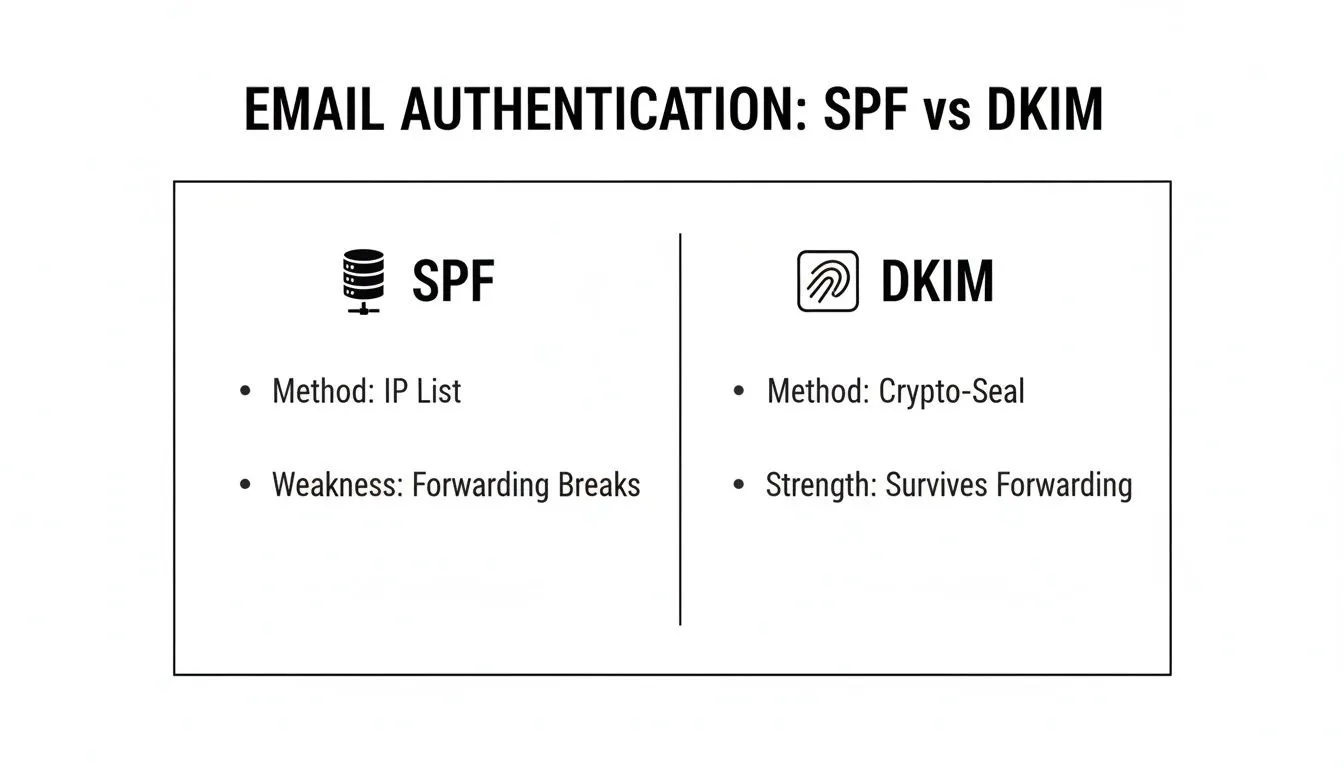
As you can see, SPF's reliance on IP validation makes it fragile when an email takes an indirect route. DKIM's cryptographic seal, however, ensures the message’s integrity survives the journey.
Scope of Protection and Complexity
To wrap up the comparison, let's look at what each protocol protects against and what it takes to get them running. The table below lays out the core functional differences you need to know.
SPF vs DKIM Core Functional Differences
| Attribute | SPF (Sender Policy Framework) | DKIM (DomainKeys Identified Mail) |
|---|---|---|
| Primary Goal | Authenticates the sending server's IP address (the "envelope sender"). | Authenticates the email message itself with a cryptographic signature. |
| Protects Against | Basic domain spoofing from unauthorized servers. | Message tampering and more sophisticated forms of spoofing. |
| Implementation | Simpler initial setup. A single TXT record lists authorized IPs and include mechanisms for your senders. | More involved setup. Requires generating a public/private key pair and a unique DNS record for each sending service. |
| Maintenance | Can be a huge headache. The 10-DNS-lookup limit is easily hit with multiple third-party tools, causing random failures. | Much easier to manage long-term. Each service has its own key, so adding or removing one doesn't affect the others. |
SPF is deceptively simple. It’s easy to create your first record, but it becomes brittle and hard to manage as your company adds more SaaS tools. Outbound teams using multiple platforms for marketing, sales, and support often slam into the 10-lookup limit, which causes legitimate emails to fail authentication checks.
DKIM, while requiring a bit more work upfront for each sending service, is far more scalable and robust. Since each platform gets its own independent key (selector), managing them is clean. For a modern sales team using an autonomous agent like Starnus alongside other tools, DKIM's structure is a much better fit.
Ultimately, the spf vs dkim discussion always ends in the same place: you need both. SPF provides a foundational layer of sender validation, while DKIM offers a more sophisticated and resilient guarantee of message integrity. They work together to create a security posture that neither could achieve alone.
How SPF and DKIM Power DMARC for Full Protection
The real conversation isn’t about choosing between SPF and DKIM. It’s about how they work together under a unified policy. That's where DMARC comes in.
Think of it this way: without a boss, SPF and DKIM are just two independent advisors. One might flag an email as suspicious, while the other gives it a thumbs-up. The receiving mail server is left to guess what you, the domain owner, would want. DMARC (Domain-based Message Authentication, Reporting, and Conformance**) acts as that boss, giving clear instructions based on the results from SPF and DKIM.
Unifying Authentication with a Clear Policy
DMARC sits right on top of SPF and DKIM, providing a definitive answer to one crucial question: "If an email claiming to be from my domain fails authentication, what should be done with it?" You define the answer by publishing a DMARC policy in your DNS.
This policy tells receiving servers to handle unauthenticated mail in one of three ways:
-
p=none: This is purely a monitoring mode. It instructs servers to deliver the email as usual but send you detailed reports about all mail—legitimate or not—using your domain. This is the essential starting point for getting a handle on your email traffic. -
p=quarantine: This policy asks servers to move any email that fails the checks into the recipient's spam or junk folder. It provides a solid layer of protection without the risk of blocking legitimate emails that might be misconfigured. -
p=reject: This is the gold standard for security. It tells servers to completely block and refuse any email that fails DMARC authentication. The message never even makes it to an inbox or spam folder.
By setting a DMARC policy, you turn SPF and DKIM from passive checks into an active enforcement system. This has a massive impact on your security and your ability to land in the inbox. For a deeper look at how this impacts your sending reputation, check out our guide on email deliverability best practices.
The Power of DMARC Reports
Maybe the most powerful part of DMARC is its reporting function. When you set up your DMARC record, you ask mail servers around the world to send you aggregate reports (RUA). These reports give you an unprecedented, birds-eye view of your entire email ecosystem.
Each report is a summary of all the messages sent using your domain, good and bad. You can see which services are sending on your behalf, which emails are passing or failing SPF and DKIM, and where spoofing attacks are coming from. This feedback is priceless for fixing deliverability problems and shutting down unauthorized use of your brand.
With DMARC reports, you are no longer flying blind. You can identify which third-party services need correct SPF or DKIM configuration and discover shadow IT—unapproved applications that are sending email using your brand—that could be damaging your reputation.
The Critical Concept of Alignment
DMARC introduces one final, critical concept: alignment. For DMARC to pass, it’s not enough for an email to simply pass an SPF or DKIM check. The domain used for authentication must also align with the domain your recipient sees in the "From" address.
- SPF Alignment: The domain in the "Return-Path" (where bounces go) must match the "From" domain.
- DKIM Alignment: The domain in the DKIM signature (the
d=tag) has to match the "From" domain.
This alignment check closes a gaping loophole that phishers love to exploit. Without it, a scammer could send an email that passes SPF for their own malicious domain but uses your trusted domain in the visible "From" field. DMARC's alignment requirement ties everything together, ensuring the sender’s identity is authentic from a technical and visible standpoint. This creates a powerful shield that dramatically improves both security and sender reputation.
Practical Implementation for Outbound Sales Teams
Alright, let's get practical. Understanding the theory behind SPF and DKIM is one thing, but making them work for a fast-moving outbound sales team is where the real challenge begins. It’s not just about creating a couple of DNS records and calling it a day.
The reality for most sales teams is a messy, sprawling ecosystem of third-party tools. You have your CRM, a sales engagement platform for your sequences, and maybe a marketing automation tool handling lead nurturing. Every single one of these services sends emails on your behalf, and each needs to be properly authenticated. This is where a simple concept gets complicated, fast.
Navigating the SPF 10 DNS Lookup Limit
One of the first—and most frustrating—roadblocks you'll hit is the SPF 10 DNS lookup limit. This is a hard-and-fast rule: an SPF record can only perform a maximum of 10 DNS lookups to check its include, a, or mx mechanisms. For a modern sales team, hitting that ceiling is surprisingly easy.
Imagine your SPF record looks something like this: v=spf1 include:_spf.google.com include:crm-provider.com include:sales-tool.net include:support-desk.com -all
Each of those include statements is one lookup. What's worse, some of those services might have their own nested include statements, and every single one counts toward your limit. Once you go over 10, your SPF check automatically fails. Your legitimate emails suddenly look fraudulent, and your deliverability takes a nosedive.
This limitation is precisely why relying only on SPF is a fragile strategy for any growing business. As your tech stack expands, your SPF record becomes a ticking time bomb, just waiting to break.
To get around this, you have to be disciplined. Regularly audit your SPF record and kick out any services you're no longer using. More importantly, start prioritizing tools that support DKIM, which doesn't have this lookup problem at all.
Managing Multiple DKIM Keys for Different Vendors
This is where DKIM truly becomes a sales operations superhero. While you’re stuck with one crowded SPF record, DKIM lets you create a unique, separate key for every single sending service you use. This is all handled with something called DKIM selectors.
A selector is just a simple label that points to a specific DKIM public key in your DNS. This means you can have a different one for each platform:
-
google._domainkey.yourcompany.comfor Google Workspace -
s1._domainkey.yourcompany.comfor your sales automation tool -
mta1._domainkey.yourcompany.comfor your marketing platform
This approach gives you a few massive advantages:
- Isolation: If one service's key is misconfigured or compromised, it won't affect any of your other email streams.
- Scalability: You can add or remove sending tools without worrying about breaking a single, monolithic record.
- Security: It’s much easier to rotate keys for a specific vendor or pinpoint exactly which service sent a particular email.
Yes, it's a bit more setup upfront for each tool, but this granular control is infinitely more robust and manageable as your team grows.
Ongoing Monitoring with DMARC Analysis
You can't fix what you can't see. Setting up SPF and DKIM is only half the job; the other half is making sure they stay working and catching unauthorized sending in its tracks. This is where DMARC reporting is an absolute must.
DMARC analysis tools take all the raw reports sent by mail servers and turn them into clear, actionable dashboards. This gives you a bird's-eye view of your entire email ecosystem, helping you:
- Spot Unauthorized Senders: See exactly which IP addresses are trying to send mail as you and failing authentication.
- Diagnose Configuration Problems: Quickly find which of your legitimate tools have broken SPF or DKIM alignment.
- Track Your Authentication Health: Monitor your pass/fail rates over time to protect your sender reputation.
For outbound teams running high-volume campaigns with tools like Starnus, this kind of visibility isn't just nice to have—it's essential. It ensures the time and money you pour into outreach actually pays off by keeping your sender reputation solid. To keep that list healthy, you should also regularly learn how to check if an email address is valid. With proactive monitoring, authentication stops being a "set it and forget it" chore and becomes a powerful strategic asset.
Frequently Asked Questions About SPF and DKIM
When you're deep in the weeds of email authentication, a few key questions always seem to pop up. For sales and RevOps leaders trying to make sense of the spf vs dkim debate, here are some straightforward answers based on years of experience.
Do I Need Both SPF and DKIM?
Yes, you absolutely do. Think of it this way: SPF and DKIM aren't competitors; they're partners, each solving a different piece of the authentication puzzle. SPF provides a basic but crucial check on who is allowed to send your email. DKIM goes deeper, verifying that the message content is legitimate and hasn't been altered along the way.
It’s no longer optional. To land in the primary inbox, major providers like Google and Outlook now require high-volume senders to have both set up correctly. Without them, you're practically asking to be sent to spam.
What Happens If My SPF Record Has Too Many Lookups?
This is a classic "gotcha" that trips up a lot of companies. Your SPF record will simply fail validation if it triggers more than the 10-DNS-lookup limit. It's a hard stop.
This happens all the time when you use multiple third-party sending services, because each include in your record counts as a lookup. Once you go over the limit, receiving mail servers can't finish the check, so they treat your perfectly valid emails as unauthenticated. The result? A sudden, sharp drop in deliverability.
Which Is Better for Preventing Phishing?
Both have their place, but DKIM paired with DMARC is the heavyweight champion against sophisticated phishing attacks. SPF is great for stopping entry-level spoofing where an attacker tries sending from an unauthorized server.
However, DKIM’s cryptographic signature is what makes it incredibly difficult for a bad actor to tamper with your message content or convincingly impersonate your domain—which are the hallmarks of a dangerous phishing attempt.
Your ultimate shield is a DMARC policy set to p=reject. It tells servers to block any email that fails authentication, but it can't do its job unless both SPF and DKIM are working perfectly and are aligned with your domain.Can I Use the Same DKIM Key for All My Sending Services?
While you technically can, you absolutely shouldn't. It's a major security risk. The best practice is to generate a unique DKIM key and a corresponding selector for every single platform that sends email on your behalf—your CRM, your sales outreach tool, Google Workspace, you name it.
This keeps everything neatly isolated. If one platform's key is ever compromised or just configured incorrectly, it won't tank the deliverability of all your other critical email streams. It's a simple step that saves a world of headaches.
Ready to stop worrying about deliverability and start closing deals? Starnus is an AI employee that autonomously runs your entire outbound engine, from lead generation and enrichment to personalized outreach. It integrates seamlessly with your tools, ensuring your authentication is solid so you can focus on what matters—growing your pipeline. Learn how Starnus can automate your growth.
Ready to automate your outbound sales? Try Starnus and let AI handle prospecting, outreach, and follow-ups while you focus on closing deals.