In B2B outbound sales, a perfectly crafted email sent to an ideal customer is worthless if it lands in the spam folder. With inbox providers like Google and Microsoft continuously tightening their filters, understanding the technical and strategic nuances of email deliverability is no longer optional. Poor practices don't just lead to missed opportunities; they can permanently damage your domain's reputation, making future outreach nearly impossible and crippling your sales pipeline. Before diving into the specifics of execution, it's essential to grasp the fundamental concept of What Is Email Deliverability and why it dictates the success or failure of every campaign you launch.
This guide provides a direct, actionable checklist of email deliverability best practices, designed specifically for modern B2B outbound engines. We will move beyond common advice, offering detailed implementation steps for everything from technical authentication like SPF, DKIM, and DMARC to operational workflows for list hygiene and campaign pacing. You will find precise instructions and clear examples that you can apply immediately to improve your inbox placement rates.
Whether you're a sales development representative (SDR) trying to book more meetings, a RevOps leader building a scalable outbound system, or a founder managing your own sales efforts, mastering these 10 practices is the key to ensuring your message gets seen, engaged with, and ultimately, drives revenue. Let's get started.
1. Implement SPF, DKIM, and DMARC Authentication
Think of email authentication as your domain's digital passport. Just as a passport verifies your identity when you travel, Sender Policy Framework (SPF), DomainKeys Identified Mail (DKIM), and Domain-based Message Authentication, Reporting, and Conformance (DMARC) verify that your outbound emails are legitimate. These protocols are no longer optional; they are a foundational requirement for any serious outbound campaign and a cornerstone of modern email deliverability best practices.
These three protocols work in concert to protect your sender reputation:
- SPF specifies which mail servers (IP addresses) are authorized to send email on behalf of your domain. It’s like creating a public list of approved couriers for your mail.
- DKIM adds a cryptographic digital signature to your email headers. Receiving servers use a public key in your DNS to verify this signature, confirming the message hasn't been altered in transit.
- DMARC ties SPF and DKIM together. It tells receiving mail servers what to do with emails that fail authentication-either monitor them, send them to spam (quarantine), or reject them outright.
How to Implement Authentication
Proper setup is critical. Major providers like Google and Yahoo now require these protocols, meaning unauthenticated mail is far more likely to be rejected or land in spam.
Key Insight: Start your DMARC implementation with a monitoring policy (p=none). This allows you to collect data on authentication failures without impacting your email delivery. Analyze these reports to fix issues before moving to a stricter enforcement policy likep=quarantineorp=reject.
Actionable Steps:
- Generate Records: Use your email service provider’s (ESP) or outbound automation tool’s instructions to generate the required SPF and DKIM records.
- Publish DNS Records: Add these TXT records to your domain’s DNS settings. This is typically done through your domain registrar (like GoDaddy, Namecheap) or DNS provider (like Cloudflare).
- Create a DMARC Record: Start with a basic monitoring policy. A record like
v=DMARC1; p=none; rua=mailto:dmarc-reports@yourdomain.com;is a safe starting point.
- Monitor and Audit: Regularly check your DMARC reports using a service like Dmarcian or Postmark to identify unauthorized sending sources or configuration errors. Clean up your SPF record by removing any old, unused services to avoid hitting the 10-lookup limit.
2. Maintain List Hygiene and Segmentation
Sending emails to a clean, well-maintained list is as important as having your passport in order. List hygiene is the practice of regularly removing invalid, bounced, and unengaged email addresses to protect your sender reputation. Combining this with smart segmentation ensures your messages are highly relevant to the recipient, directly improving open rates and reducing the risk of spam complaints-a vital part of any B2B email deliverability best practices.
Think of your contact list as a garden. Without regular weeding, it becomes overgrown with invalid contacts and disinterested prospects, choking the growth of valuable relationships. In B2B outbound, this means continuously validating data and targeting only accounts that perfectly match your ideal customer profile (ICP). Industry data backs this up; Apollo.io reports that simply removing invalid emails can improve deliverability by as much as 35%.
This proactive approach keeps your sender reputation strong and your campaigns effective:
- List Hygiene involves the immediate removal of hard bounces and the regular validation of contacts who haven't engaged recently. This tells inbox providers that you are a responsible sender who respects recipient inboxes.
- Segmentation is the process of dividing your audience into smaller groups based on shared characteristics like industry, company size, or previous engagement. This allows you to tailor your messaging for maximum relevance and impact.
How to Implement Hygiene and Segmentation
A "spray and pray" approach is a fast track to the spam folder. Instead, integrate list management directly into your sales operations. For example, leading platforms like Outreach.io emphasize strict ICP-based segmentation as a cornerstone for successful B2B campaigns.
Key Insight: Don't treat all prospects the same. Create separate sending "lanes" or cadences for different engagement levels. A warm prospect who downloaded a whitepaper should receive a different message and frequency than a cold contact sourced from a data provider.
Actionable Steps:
- Automate Validation: Use a tool to automatically flag invalid or risky contacts in your CRM before they ever enter a campaign. Hard bounces must be removed immediately to protect your sender score.
- Clean Stale Contacts: Set up a recurring monthly or quarterly process to re-verify contacts that have been inactive for over 90 days. Before removing them, consider a final re-engagement campaign.
- Refine Your ICP: Continuously analyze your best customers to refine your Ideal Customer Profile. Use this data to build highly targeted segments for your outbound sequences.
- Monitor Segment Performance: Pay close attention to open, reply, and unsubscribe rates for each segment. A high unsubscribe rate in a specific segment is a clear signal that your messaging or targeting is off-the-mark. To learn more about this process, you can explore how to check if an email address is valid.
3. Warm Up New Sending Domains and IP Addresses
Launching an outbound campaign from a brand-new domain or IP address is like showing up to a party unannounced. Internet Service Providers (ISPs) have no history with you, so they treat your emails with intense suspicion. The process of IP and domain warming builds this crucial history, demonstrating to mailbox providers like Google and Microsoft that you are a legitimate sender, not a spammer. It involves gradually increasing your sending volume over several weeks, a fundamental step in establishing a positive sender reputation.
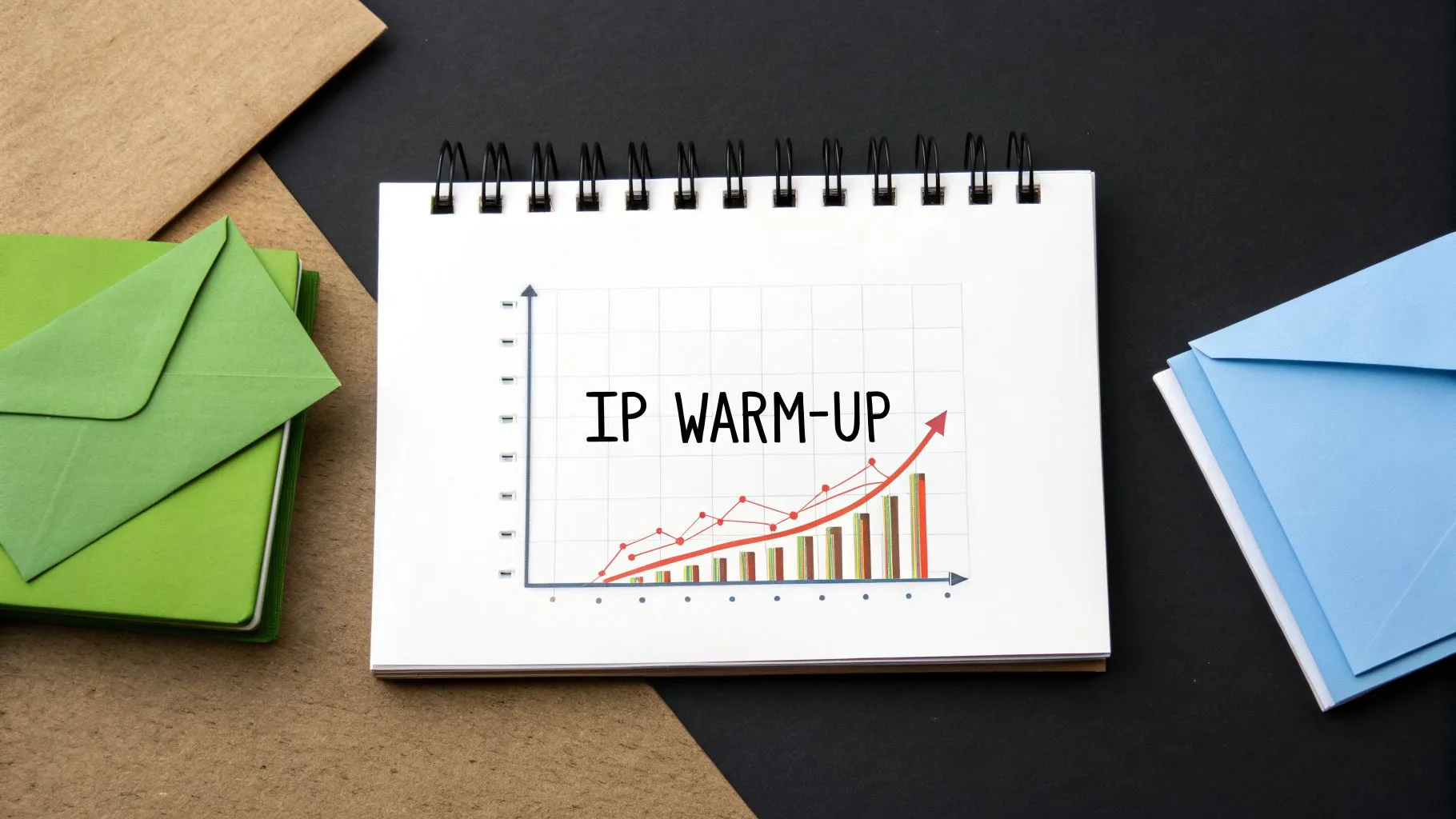
The goal is to prove you're a responsible sender before scaling your campaigns. Major email service providers like SendGrid and Mailgun have well-documented protocols for this process, typically spanning four to eight weeks. By starting slow and focusing on engagement, you train ISP algorithms to associate your domain with wanted mail, which is a non-negotiable part of modern email deliverability best practices. Rushing this step is a common mistake that can permanently damage your sending infrastructure.
How to Warm Up Your Sending Infrastructure
A methodical warm-up plan prevents your initial campaigns from landing directly in spam folders, which can be difficult to recover from. Success depends on generating positive engagement signals like opens, clicks, and replies from your very first sends.
Key Insight: Prioritize quality over quantity during the warm-up period. Start by sending emails to your most engaged contacts or even internal team members. These initial high-engagement signals are critical for building a strong foundational reputation with mailbox providers.
Actionable Steps:
- Create a Gradual Schedule: Start with a low daily volume (e.g., 25-50 emails) and methodically increase it. A common strategy is to increase your daily sends by 20-25% each week, provided your metrics remain healthy.
- Target High-Engagement Recipients: Your first sends should go to known-good contacts. This could include friendly clients, colleagues, or a list of your most active previous subscribers.
- Monitor Key Metrics Closely: Keep a vigilant eye on your performance. Aim for bounce rates below 5% and complaint rates under 0.3%. Use reputation monitoring services to track how ISPs perceive your domain and IP.
- Achieve Stability Before Scaling: Do not launch full-scale campaigns until you have sustained positive metrics for at least a week at your target warm-up volume. Patience during this phase pays significant dividends in long-term deliverability.
4. Optimize Email Content for Deliverability (Avoid Spam Triggers)
Beyond technical authentication, the content of your email itself is heavily scrutinized by spam filters. Every word, link, and piece of formatting is analyzed for indicators of spam. These filters, like the long-standing SpamAssassin, use sophisticated pattern matching to score your message. High-pressure sales language, excessive punctuation, and misleading subject lines are red flags that can send your carefully crafted outbound email straight to the spam folder, a major obstacle in achieving strong email deliverability best practices.
Common spam triggers include:
- Suspicious Words: Phrases like "free," "act now," "limited time," or "guarantee" are frequently used in spam and can increase your message's spam score.
- Poor Formatting: Excessive capitalization (e.g., "SIGN UP NOW"), multiple exclamation points, and brightly colored fonts are classic spam tactics that filters easily detect.
- Link Overload: Emails packed with too many hyperlinks look suspicious. Likewise, using URL shorteners can obscure the final destination, which is another common spammer technique.
- Image-Heavy Emails: An email that is mostly one large image with little text is a tactic spammers use to hide trigger words. Filters often penalize this format.
How to Write for Inbox Placement
Effective B2B outbound emails prioritize genuine value and personalization over aggressive sales tactics. This approach naturally helps avoid most content-based spam triggers. The goal is to write like a human sending a one-to-one message, not a mass marketer blasting a promotion.
Key Insight: Focus on providing value in the first sentence. Instead of a generic opening, lead with a personalized observation about the prospect's company or a relevant insight into their industry. This not only avoids spam filters but also dramatically increases engagement.
Actionable Steps:
- Keep Subject Lines Short and Clear: Aim for 30-50 characters to ensure full visibility on mobile devices. Subject lines like "Quick question about \[Company Name\]" perform better than "URGENT: Don't miss this deal!".
- Limit Links and Attachments: Stick to 2-3 essential links, including your email signature and unsubscribe link. Avoid sending attachments in initial cold emails.
- Maintain a Healthy Text-to-Image Ratio: Your email should be primarily text-based. If you include an image, ensure it is supported by substantial text content.
- Test Your Copy: Before launching a campaign, run your email template through a spam checker tool like Mail-tester.com. These tools provide a spam score and identify specific elements that need fixing. For a deeper look at creating trigger-free copy, you can learn how to automate cold email without landing in spam effectively.
- Include Compliance Essentials: Always provide a clear unsubscribe link and a physical mailing address in your email footer to comply with regulations like CAN-SPAM.
5. Monitor Sender Reputation and Bounce Rates
Your sender reputation is your domain's credit score in the email world. Internet Service Providers (ISPs) like Google and Microsoft maintain this score to decide whether your emails are trustworthy inbox material or junk-worthy spam. This reputation isn't static; it's a direct reflection of your sending behavior, making constant monitoring a non-negotiable part of any outbound strategy and one of the most critical email deliverability best practices.
Ignoring these metrics is like driving a car without a dashboard. Key indicators like bounce rates, complaint rates, and spam trap hits provide real-time feedback on your list quality and content relevance. High bounce rates signal that your contact list is outdated, while high complaint rates suggest your messaging is either unwanted or irrelevant.
Key metrics to watch closely include:
- Hard Bounces: These are permanent delivery failures, often due to an invalid or non-existent email address. A rate above 5% is a major red flag for ISPs.
- Soft Bounces: These are temporary failures, such as a full inbox or a server being down. While less severe, a consistent rate above 8% can still damage your reputation.
- Complaint Rate: This measures how many recipients mark your email as spam. A rate exceeding 0.3% tells mailbox providers that your content is not valued by its recipients.
How to Monitor Your Reputation
Proactive monitoring allows you to catch and fix issues before they cause lasting damage. A sudden spike in bounces or complaints requires immediate investigation to protect your sending infrastructure.
Key Insight: Don't wait for your deliverability to crash before you start investigating. Establish baseline metrics for your campaigns before you scale. Know what "normal" looks like for your bounce and complaint rates so you can spot deviations instantly.
Actionable Steps:
- Set Up Google Postmaster Tools: This free service is essential for anyone sending to Gmail users. It provides direct data from Google on your domain reputation, IP reputation, delivery errors, and spam complaint rates.
- Track Bounces by Segment: Isolate your bounce and complaint data for each specific campaign or list segment. This helps pinpoint whether the problem lies with a particular data source or a specific message. A critical step in maintaining healthy email deliverability is to regularly check your domain reputation, which heavily influences whether your emails reach the inbox.
- Create Automated Alerts: Configure your sending tool or a third-party service to send you alerts when your metrics cross dangerous thresholds. Set up notifications for hard bounces exceeding 5% or complaint rates climbing above 0.3%.
- Investigate Spikes Immediately: If you see a sudden increase in bounces, pause the campaign. Analyze the bounced addresses to identify patterns, such as a bad batch from a recent list import, and scrub them from your system.
6. Use a Dedicated IP or Managed Sending Service with an Established Reputation
Your sending IP address is like your business's physical address in the digital world; its reputation determines whether your mail gets delivered. Choosing between a shared IP pool and a dedicated IP address is a critical decision that directly impacts your email deliverability best practices. The right choice hinges on your sending volume, technical resources, and overall outbound strategy.
A shared IP pool, offered by managed sending services like SendGrid or Mailgun, means you send email from an IP address used by many other customers. A dedicated IP is an address that only your domain uses for sending email. For B2B outbound, the choice isn't always obvious but carries significant consequences for your sender reputation.
The primary sending options each have distinct advantages:
- Shared IP Pools: These are managed by large Email Service Providers (ESPs) and often have a strong, pre-warmed reputation. The collective sending volume of all users helps maintain a stable reputation, making it an excellent starting point for new or low-volume senders.
- Dedicated IPs: A dedicated IP gives you complete control over your sender reputation. However, this control is a double-edged sword; your sending practices alone determine its health. It requires careful warming and consistent, high-volume sending to build and maintain a positive reputation.
How to Choose Your Sending Infrastructure
The decision depends on your program's maturity and scale. Managed sending services like AWS SES and SendGrid offer both options, allowing you to migrate as your needs evolve. For most B2B teams starting with outbound, the path is clear.
Key Insight: Start on a shared IP from a reputable provider. You inherit a baseline of trust with mailbox providers, which is crucial when you have no sending history. Only consider moving to a dedicated IP once you have consistent sending volume (typically over 100,000 emails/month) and have proven your ability to maintain low bounce and complaint rates.
Actionable Steps:
- Start with Shared: For new outbound programs, sign up with a trusted ESP like SendGrid or Mailgun and use their shared IP pools. This minimizes initial risk and lets you focus on content and list quality.
- Separate Mail Streams: Never mix marketing or outbound emails with transactional emails (like password resets or purchase receipts). Use separate IP addresses or even separate subdomains to isolate reputations. A spike in marketing complaints shouldn't stop your critical transactional mail from being delivered.
- Monitor Your Reputation: Whether shared or dedicated, use your ESP's dashboard and monitor ISP feedback loops. Tools like Google Postmaster Tools provide direct feedback on how Gmail views your IP and domain reputation.
- Plan for Dedicated: If you scale, work with your ESP to acquire and warm a dedicated IP. This involves gradually increasing sending volume over several weeks to build a positive history with mailbox providers. Follow their specific warming schedule precisely.
7. Implement Feedback Loops and Monitor ISP Complaints
Think of ISP Feedback Loops (FBLs) as a direct communication channel from your recipients' inboxes back to you. When a recipient marks your email as spam, an FBL sends an automated report back to your email platform. This mechanism is a critical part of maintaining a healthy sender reputation because it allows you to immediately remove complainers from your lists, preventing future negative signals from impacting your deliverability.
Monitoring these complaints is a core discipline of modern email deliverability best practices. High complaint rates are one of the most damaging signals you can send to Internet Service Providers (ISPs) like Gmail and Outlook. A rate consistently above 0.3% is a red flag that will trigger blocks and throttle your sending, while even lower rates can erode your reputation over time.
How to Monitor and Manage Complaints
Most major email service providers (ESPs) and outbound automation tools automatically process FBL reports, suppressing contacts who complain. However, you must actively monitor these rates to diagnose issues before they cause lasting damage.
Key Insight: Don't just track your overall complaint rate; segment it by ISP. A sudden spike in complaints from Gmail users, for instance, might indicate a problem with how your messages render or are perceived specifically by that audience. Investigating any ISP that shows a complaint rate over 0.1% is a crucial preventative measure.
Actionable Steps:
- Confirm FBL Processing: Verify that your ESP or outbound tool has FBLs established with major ISPs (like Yahoo, AOL, and Microsoft) and automatically suppresses complainers.
- Set Up Gmail Postmaster Tools: Register your sending domains with Google's free Postmaster Tools. This provides direct insight into your complaint rate, domain reputation, and other key metrics specific to the Gmail ecosystem.
- Create Automated Suppression Workflows: Ensure that any contact who triggers an FBL complaint is immediately and permanently added to your global suppression list to prevent accidental re-mailing.
- Analyze by Campaign: Regularly review complaint rates for individual campaigns. If a specific message or sequence generates a higher-than-average complaint rate, pause it and analyze the content, targeting, and cadence to understand what went wrong.
8. Personalization and Relevance Scoring for Engagement
Internet Service Providers (ISPs) reward engagement. When recipients open, click, and reply to your emails, it signals that your content is valuable and wanted. This positive feedback loop is a core component of email deliverability best practices, directly influencing your sender reputation and future inbox placement. Generic, mass-blasted emails are engagement killers and a fast track to the spam folder.
Meaningful personalization in B2B outbound extends far beyond inserting a {first_name} tag. It involves deep relevance, demonstrating that you understand the recipient's company, role, and challenges. Data from platforms like Outreach.io shows that highly personalized sequences can achieve three times higher reply rates, a clear indicator to ISPs that your emails are not spam. This level of customization turns a cold outreach into a warm conversation.
How to Implement Deep Personalization
The goal is to make every email feel like a one-to-one message, even when sending at scale. This requires gathering specific data points and weaving them into a compelling narrative that resonates with each prospect.
Key Insight: True personalization isn’t just about what you say, but when you say it. Timing your outreach to coincide with a recent company funding round, a new executive hire, or a significant product launch shows you’ve done your homework and dramatically increases relevance.
Actionable Steps:
- Gather Intelligence: Use lead enrichment tools to find specific details like recent company news, technology stack, or hiring trends for key roles. This data forms the foundation of your personalization.
- Segment by ICP: Group your prospects into narrow segments based on your Ideal Customer Profile (ICP). This allows you to tailor your core messaging and value propositions to specific industries, company sizes, or job functions.
- Craft Role-Specific Copy: Move beyond generic templates. Create message variations that speak directly to the pain points and priorities of a specific role, such as a VP of Sales versus a CTO.
- Test Personalization Variables: A/B test different personalized elements. Does referencing a recent blog post outperform mentioning a new hire? Measure the impact on engagement to refine your approach.
- Monitor Engagement Signals: Keep a close eye on your open, click, and reply rates for different personalization tactics. For an in-depth guide on tracking these metrics, you can learn more about how to see if an email is read and apply those insights to your campaigns. High engagement rates are a powerful, positive signal for your sender reputation.
9. Gradual Send Rate Increases and Campaign Pacing
Think of your sending volume like a conversation with an Internet Service Provider (ISP). If you suddenly start shouting (sending thousands of emails at once) from a new address, the ISP will see you as a threat. Gradual sending increases and thoughtful campaign pacing are essential for building trust and proving you are a legitimate sender, making them a core pillar of any sustainable email deliverability best practice. Blasting your entire list in one go is a surefire way to trigger spam filters and damage your sender reputation permanently.
Proper pacing involves two key elements: gradually increasing your daily send volume over time (also known as "ramping up") and distributing your sends throughout the business day. This mimics human behavior, which is exactly what ISPs want to see. Sudden, massive spikes in email volume are characteristic of spammers who have just acquired a list and are trying to hit as many inboxes as possible before getting shut down.
How to Implement Gradual Pacing
The goal is to slowly build a history of consistent, responsible sending behavior. Platforms like SendGrid and Mailgun have baked this logic into their services, often enforcing progressive sending limits on new accounts. For outbound automation, this control is in your hands.
Key Insight: Pacing isn't just for new domains. If you've had a long sending pause (30+ days), treat your domain as "cold" again. Re-warm it with a reduced sending volume and gradually ramp back up to your previous levels to avoid deliverability shocks.
Actionable Steps:
- Set a Low Starting Point: For a brand-new or re-warmed domain, begin with a conservative daily limit. A common starting point is 50-100 total sends per day.
- Increase Volume Incrementally: If your bounce and complaint rates remain low (under 3% and 0.1% respectively), increase your daily volume by about 20% each week. This steady growth appears natural to ISPs.
- Space Out Your Sends: Distribute your daily sends over an 8-10 hour window (e.g., 9 AM to 6 PM) in your recipient's timezone. Never send your full daily quota within a single hour. Most outbound tools have built-in pacing controls to manage this automatically.
- Monitor ISP Throttling: Pay close attention to temporary rejections or deferrals (often with 4xx error codes). These are clear signals from ISPs that you are sending too fast. If you see these, immediately slow down your sending cadence to avoid a permanent block.
10. Regular Re-engagement and Win-back Campaigns
Continuously emailing unengaged contacts is one of the quickest ways to damage your sender reputation. Internet Service Providers (ISPs) and mailbox providers track how recipients interact with your messages; low open rates, zero clicks, and no replies signal that your content is unwanted. This is a critical factor in email deliverability best practices, as providers will begin filtering your emails to the spam folder, even for your engaged prospects. A regular re-engagement and list hygiene process is not just housekeeping; it's a strategic necessity for maintaining high deliverability.
This process involves identifying contacts who have stopped interacting with your campaigns and either winning them back with a targeted message or removing them from your active lists. For B2B outbound, this means pruning leads who remain unresponsive after multiple, well-spaced touches. HubSpot's research indicates that re-engagement efforts can successfully reactivate up to 30% of an inactive list, while Mailchimp's industry data confirms that low engagement directly correlates with poor deliverability outcomes.
How to Implement Re-engagement and List Hygiene
The goal is to protect your sender score by ensuring your average engagement rates remain high. Sending to a smaller, more active list is always better than blasting a large, indifferent one.
Key Insight: Define your "inactive" threshold clearly. For a high-velocity outbound cadence, a prospect might be considered unengaged after 60-90 days with no opens, clicks, or replies. For longer-term, relationship-focused nurturing, this might extend to 6-12 months. Set a standard and automate it.
Actionable Steps:
- Define Engagement Criteria: Establish a clear rule for what constitutes an unengaged contact (e.g., no opens or replies across all sequences in the last 90 days).
- Create an Automated Workflow: Use your outbound automation tool to tag prospects who meet your inactive criteria. Create a workflow that automatically moves these contacts out of active sequences.
- Launch a Win-back Campaign: Before permanently removing them, send these contacts one final, distinct re-engagement campaign. Ask directly if they're still interested or offer a high-value piece of content. Frame it as a final check-in.
- Prune Your List: If a contact doesn't respond to the win-back campaign, remove them from all active mailing lists. Use your CRM to update their status to "Unengaged" or "Archived" to prevent them from being added back into future campaigns accidentally.
- Analyze and Optimize: Periodically review why contacts became unengaged. Was the messaging off? Was the timing wrong? Use these insights to refine your primary outbound sequences and improve long-term engagement.
Email Deliverability: 10 Best Practices Comparison
| Strategy / Item | Implementation Complexity 🔄 | Resource Requirements ⚡ | Expected Outcomes 📊 | Ideal Use Cases 💡 | Key Advantages ⭐ |
|---|---|---|---|---|---|
| Implement SPF, DKIM, and DMARC Authentication | Moderate — DNS changes, testing, monitoring | Low monetary cost, technical/admin access, reporting | Significant inbox placement lift; reduced spoofing | Any org using custom sending domains; enterprise senders | Strong brand protection; required by major providers |
| Maintain List Hygiene and Segmentation | Medium — continuous process, automation recommended | Data validation tools, CRM integration, enrichment | Fewer bounces/complaints; higher engagement rates | Large B2B lists and frequent outbound programs | Protects sender reputation; improves relevance |
| Warm Up New Sending Domains and IP Addresses | High — multi-week phased ramp and close monitoring | Time, seed lists, reputation monitoring tools | Established sender reputation; fewer initial blocks | New domains/IPs or new client accounts | Prevents immediate spam flagging; enables scale later |
| Optimize Email Content for Deliverability (Avoid Spam Triggers) | Low–Medium — iterative testing and copy checks | Copywriting, spam-scanning tools, A/B tests | Immediate uplift in inbox placement and opens | All outbound messaging, especially B2B personalization | Low cost, fast impact; reduces content filter hits |
| Monitor Sender Reputation and Bounce Rates | Medium — tool setup and daily analysis | Monitoring platforms (Google Postmaster, 250ok), analyst time | Early detection of issues; data-driven remediation | High-volume senders and scaling campaigns | Proactive reputation management; alerting thresholds |
| Use Dedicated IP or Managed Sending Service with Established Reputation | Medium — integration choice; dedicated needs warm-up | Service fees, vendor support; possible warm-up time | Immediate or controlled deliverability depending on choice | High-volume senders or those needing reputation control | Scale control, reliable infra, vendor support |
| Implement Feedback Loops and Monitor ISP Complaints | Medium — ISP integrations and suppression workflows | ISP FBL integrations, suppression lists, automation | Fewer repeat complainers; reduced risk of ISP blocks | Senders vulnerable to spam complaints | Direct removal of complainers; fast issue signal |
| Personalization and Relevance Scoring for Engagement | High — data, dynamic content, scoring models | Enrichment data, automation platform, templates | Much higher open/reply rates; positive ISP signals | B2B outbound targeting ICP-matched accounts | Dramatic engagement lift; fewer complaints/unsubscribes |
| Gradual Send Rate Increases and Campaign Pacing | Medium — scheduling discipline and throttling | Sending controls, monitoring, timezone logic | Gradual reputation growth; avoids ISP throttling | Scaling new IPs/domains and large rollouts | Protects reputation during scale; predictable growth |
| Regular Re-engagement and Win-back Campaigns | Low–Medium — periodic automation and scoring | Campaign assets, automation, engagement scoring | Higher average engagement; removal of dead contacts | Long-running lists and aging databases | Maintains list health; recovers some inactive users |
From Best Practices to Autonomous Execution
Navigating the complexities of email deliverability can feel like a constant battle against unseen algorithms and ever-shifting rules. However, the ten principles we've detailed throughout this guide are not just isolated tasks; they are interconnected components of a single, powerful system designed to build and maintain trust. This trust is the bedrock of successful B2B outbound, and it's earned with every authenticated email, every clean list, and every piece of relevant content that avoids the spam folder.
By now, it's clear that mastering email deliverability best practices is not a passive activity. It requires a sustained commitment to technical precision and strategic execution. From the foundational setup of SPF, DKIM, and DMARC to the ongoing discipline of list hygiene and reputation monitoring, each step plays a direct role in whether your message is seen or ignored. Skipping the domain warm-up process or neglecting feedback loops is like building a powerful engine but forgetting to add oil; eventually, the entire system will seize up.
The Shift from Manual Effort to Strategic Oversight
The real challenge for growing B2B teams isn't understanding these concepts, but implementing them consistently at scale. Manually verifying every contact, personalizing thousands of emails, and monitoring bounce rates across multiple campaigns is not just time-consuming, it’s a recipe for human error and diminishing returns. This is where a strategic shift in thinking becomes essential.
The goal isn't to become a full-time deliverability technician. The goal is to build an outbound process where these best practices are embedded into the operational fabric of your sales motion. This means moving from a manual checklist to an automated, self-correcting system.
Key Insight: True scalability in outbound sales is achieved when email deliverability best practices are no longer a daily tactical burden, but a foundational, automated layer of your go-to-market strategy. Your team's focus should be on high-level strategy and closing deals, not on manually debugging delivery failures.
Actionable Next Steps: Building Your Deliverability Framework
To translate this guide into immediate action, focus on a phased implementation. Don't try to boil the ocean. Instead, build your framework piece by piece to ensure a lasting impact.
- Immediate Technical Audit: Start with the non-negotiables. Use online tools to verify your SPF, DKIM, and DMARC records. If they are missing or misconfigured, this is your absolute first priority. Without proper authentication, all other efforts are compromised.
- Establish a Hygiene Protocol: Before your next campaign, implement a strict list-cleaning process. Use a verification service to scrub your existing lists of invalid, risky, and spam-trap addresses. Make this a mandatory step for all new lead lists moving forward.
- Integrate Monitoring and Feedback: Set up Google Postmaster Tools and sign up for any available ISP feedback loops (FBLs). This is your early-warning system. The insights you gain from complaint rates and reputation dashboards are critical for making proactive adjustments instead of reactive fixes.
- Automate with Intelligence: This is the most significant step toward sustainable success. Instead of tasking your team with the repetitive work of personalization, cadence management, and monitoring, delegate it to an intelligent system. This is where automation platforms designed for this purpose become a strategic asset, executing these email deliverability best practices flawlessly in the background.
By systematically addressing authentication, hygiene, and monitoring, you create a stable foundation. Only then can you fully realize the benefits of advanced strategies like deep personalization and dynamic campaign pacing. This methodical approach transforms deliverability from a source of anxiety into a competitive advantage, ensuring your messages consistently reach the decision-makers you need to engage.
Ready to stop managing deliverability and start automating it? Starnus provides AI agents that handle the entire outbound process, from ICP building and lead enrichment to message crafting and autonomous campaign execution, all with deliverability at their core. See how our intelligent system can turn these best practices into an automated reality for your team at Starnus.
Ready to automate your outbound sales? Try Starnus and let AI handle prospecting, outreach, and follow-ups while you focus on closing deals.