Finding the right company email address is the first, and arguably most important, step in any B2B outreach. Get it wrong, and your perfectly crafted message is dead on arrival. Get it right, and you've opened a direct line to your next big customer.
Your Framework for Finding Company Emails
Before you even think about writing that killer opening line, you need the right address. This isn't about guesswork or firing off emails into the void. It’s about being methodical—a little bit of detective work mixed with some smart tech. I've seen countless outreach campaigns fail at this first hurdle, which is why having a solid grasp of how to find company email address: fast, reliable ways is non-negotiable.
This whole process is about starting valuable conversations with the right people, not just blasting out cold emails. Your ideal customers are out there and they're using email, so let's make sure you can reach them.
Why Email Remains King in B2B
Think about it: the number of people using email is staggering. We’ve gone from just 10 million users back in 1997 to a projected 4.59 billion in 2025. That's over half the planet. By 2026, that number is expected to climb even higher to 4.73 billion. The audience is massive and growing.
Unlike social media, where you're at the mercy of constantly changing algorithms, a direct email lands exactly where you want it: your prospect's inbox. It's the most reliable and direct channel for B2B communication, period.
This is precisely why getting the email address right is so critical. A wrong address doesn't just mean a bounced email and a missed opportunity; it dings your sender reputation, making it harder for your future emails to get through.
Choosing Your Discovery Method
So, how do you find the right email? Your approach will depend entirely on your goal. Are you hunting for the direct line to a single high-value CEO, or are you trying to build a list of 500 potential leads for a new campaign? Each scenario requires a different tactic. You have to weigh the trade-offs between speed, cost, and how accurate you need to be.
To help you decide which path to take, here’s a quick overview of the most common methods.
Quick Guide to Finding Company Emails
This table breaks down the best methods for finding company emails, giving you a sense of what to use based on your specific needs.
| Method | Best For | Estimated Time | Accuracy Rate |
|---|---|---|---|
| Manual Search | Highly targeted, low-volume outreach for key accounts. | 5-15 mins/contact | 60-80% |
| Email Finder Tools | Scaling outreach and enriching lists of hundreds of leads. | < 1 min/contact | 85-95% |
| Social Media Research | Finding contacts for relationship-based selling. | 2-10 mins/contact | 50-70% |
| Automated Workflows | Building a continuous pipeline of verified leads at scale. | Fully automated | 95%+ |
Think of this as your starting point. As we dive into the specific tactics, you’ll see how these methods can be combined to create a powerful and efficient email discovery workflow.
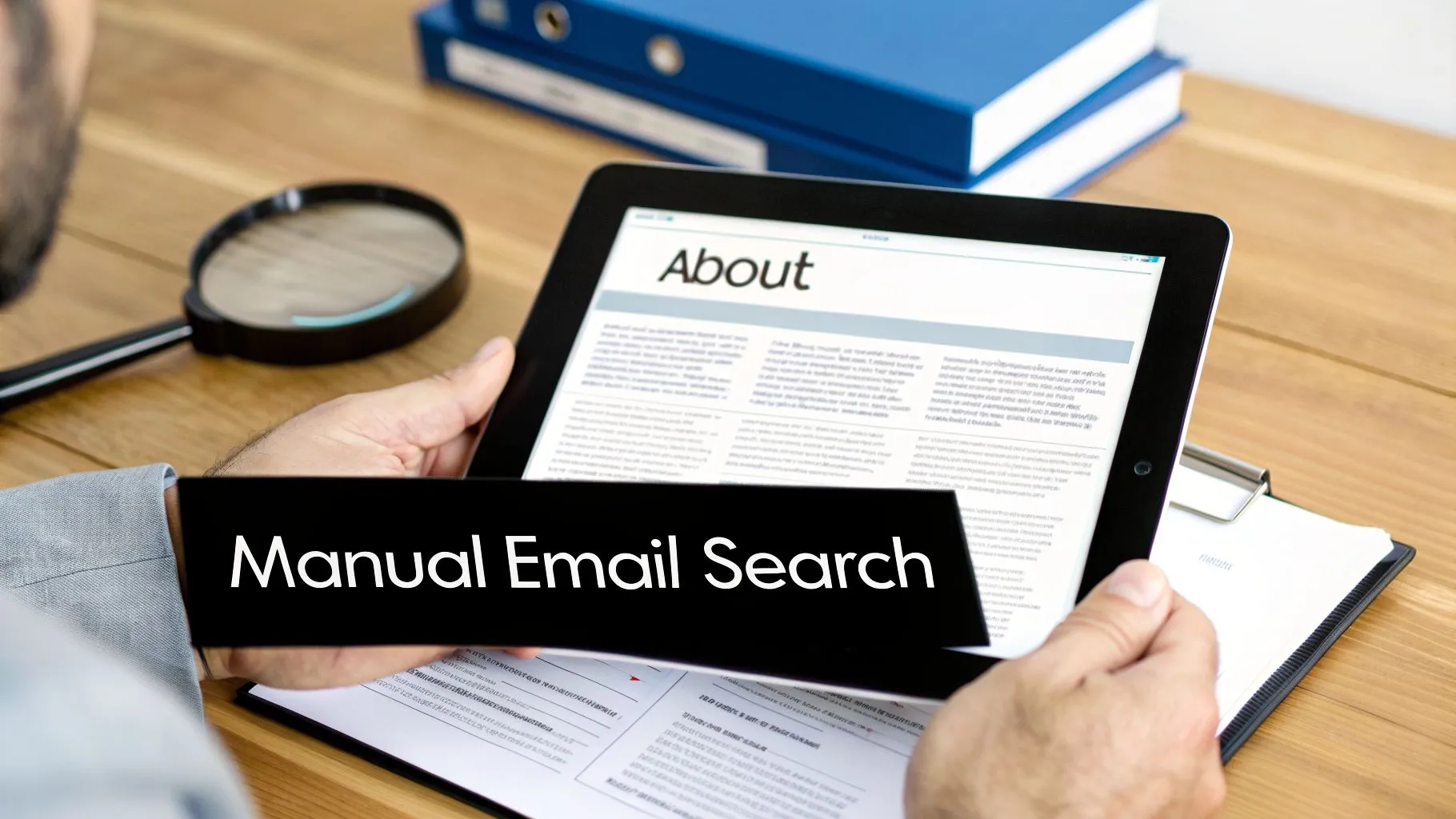
Before you even think about paying for a fancy email-finding tool, it’s worth rolling up your sleeves and doing a bit of manual digging. Honestly, you’d be surprised what you can find with a little clever detective work. This isn’t just about saving a few bucks; it’s about understanding the company you’re targeting on a deeper level.
Think of this as your guide to finding email addresses the old-fashioned way—with precision. We'll walk through how to figure out a company's email format, test your guesses without getting a single bounce, and turn Google into your secret weapon. When you do it yourself, you not only get the contact info but also valuable context you’d otherwise miss.
Crack the Code of Common Email Patterns
The first—and often most successful—manual tactic is figuring out the company's email structure. Most businesses use a consistent pattern, and if you can crack it, you can accurately guess almost anyone's email address.
It all starts with the basics: your prospect's first name, last name, and their company's domain (like company.com). With that, you can start making some educated guesses.
I’ve seen these pop up time and time again:
-
first.last@company.com(e.g.,jane.doe@company.com) -
flast@company.com(e.g.,jdoe@company.com) -
first@company.com(e.g.,jane@company.com) -
firstlast@company.com(e.g.,janedoe@company.com) -
firstlast@company.com(e.g.,janedoe@company.com) -
last.first@company.com(e.g.,doe.jane@company.com)
The trick is not to settle on just one. Line up three to five of the most likely variations. This dramatically increases your odds of getting it right.
Use Google Search Operators Like a Pro
Now it’s time to see if your guesses are floating around somewhere on the web. This is where Google’s advanced search operators come in handy. They let you run hyper-specific searches to find emails that are hidden in plain sight.
For instance, if you're looking for Jane Doe’s email at company.com, you can search for "jane.doe@company.com". Those quotation marks are everything—they tell Google to find that exact phrase. If it’s out there, Google will find it.
Pro Tip: I love combining operators for a more powerful search. Try something like "Jane Doe" email site:company.com. This command searches for your prospect’s name and the word "email" but only on the target company's website. It’s a great way to find staff directories or contact pages you might have missed.Here are a few of the most useful operators for this kind of work:
| Operator | Example | What It Does |
|---|---|---|
" " | "firstname.lastname@company.com" | Finds that exact email address if it’s listed publicly anywhere. |
site: | site:company.com "Jane Doe" | Narrows your search down to one specific website. |
filetype: | filetype:pdf "Jane Doe" email | Scans for emails inside specific file types, like PDFs and Word docs. |
OR | "jdoe@company.com" OR "jane.d@company.com" | Lets you search for multiple email variations at once. |
This method is especially good for digging up emails in press releases, conference speaker lists, or annual reports—documents that often get uploaded as PDFs and indexed by Google.
Scour the Company Website and Social Profiles
If a Google search comes up empty, it’s time to go straight to the source. The company’s website is often the best place to find what you're looking for, even if it takes a little clicking around.
Make a point to check these pages:
- About Us / Our Team: This is the obvious first stop. Leadership bios are a common place to find direct contact info.
- Press Releases / Media Kit: These pages almost always have an email for a media contact. Even if it's not your prospect, that single address usually confirms the company's email pattern.
- Blog / Author Bios: Has your prospect written for the company blog? Check their author bio. Sometimes an email address or social profile is linked right there.
Don't forget to check their professional social networks, too. I've found plenty of emails listed directly in a prospect’s LinkedIn "About" section or their Twitter bio for things like speaking opportunities. When you find something, cross-reference it with the patterns you guessed earlier. This is how you can confirm the right email format with a high degree of confidence before ever hitting “send.”
Using Email Finder Tools to Find Contacts at Scale
Searching manually is great when you're targeting a handful of dream accounts. But what happens when you need a fresh list of 500 qualified leads by next week? That's where manual methods fall apart. It just doesn't scale.
This is the exact moment you should turn to technology. Email finder tools are built for one thing: getting you accurate contact info, fast. They take the guesswork out of prospecting and replace it with a scalable, data-driven process that can truly build a predictable pipeline.
Understanding the Types of Email Finder Tools
The world of email finders is surprisingly diverse, with different tools designed for different jobs. Knowing the main categories helps you pick the right one for your strategy instead of just grabbing the first one you see.
Generally, they break down into a few key types:
- Browser Extensions: These tools are perfect for finding emails on the fly. You might be on a prospect's LinkedIn profile or their company’s website, and with a single click, the extension pulls up their verified email. A good Email Extractor Chrome Extension can make this part of your workflow incredibly fast.
- Bulk Enrichment Platforms: These are the heavy lifters. Got a CSV file with names and company domains? You can upload it, and the platform will work its magic, adding a verified email address for each person on your list. This is the go-to for processing large lead lists.
- API-Based Services: If you have developers on your team, APIs are a game-changer. They let you build email-finding capabilities directly into your CRM or other internal tools, creating completely custom and automated workflows.
From my experience, the best approach isn't about choosing just one. It’s often a combination of a browser extension for daily prospecting and a bulk platform for larger campaigns.
What to Look for in an Email Finder Tool
Be careful here—not all email finders are created equal. To avoid investing in a tool that just gives you a long list of bouncing emails, you need to focus on a few critical criteria.
Above all else, look at accuracy. A tool that boasts a 95% accuracy rate is infinitely more valuable than a cheaper one that’s only 70% accurate. High bounce rates will wreck your sender reputation and get your domain blacklisted. Always check if the tool provides an accuracy guarantee or at least a confidence score with its results.
An email finder's value comes down to the quality and breadth of its data. The best tools are constantly cross-referencing information from public web pages, their own proprietary databases, and data-sharing partnerships to validate every email address.
Beyond accuracy, here are the other features I always evaluate:
- Pricing Model: Does the tool charge a flat monthly subscription or sell credits? Credits can be more cost-effective if you only need to find emails occasionally, while a subscription makes more sense for sales teams with consistent, high-volume needs.
- CRM Integration: A smooth, native integration with your CRM (like Salesforce or HubSpot) is a huge time-saver. It means you can push new contacts and their verified emails directly into your system, cutting out all the manual copy-and-pasting.
- Bulk Processing: If you’re enriching lists, check how the bulk finder works. Is it easy to use? Can it handle large CSV files without crashing?
- Data Sources: Try to find out where the tool gets its data. Reputable providers are usually transparent about their collection methods, which is a good sign of quality. If you want to go deeper on this, we've actually compared some of the best B2B data providers in another article.
A Real-World Automation Scenario
Let's put this all together. Imagine you could automate this entire process from start to finish. With modern AI platforms, this isn't science fiction anymore.
For example, a lead generation agent like the one we've built at Starnus can completely change how you approach this. You could give it a simple command, like: "Build a list of VPs of Marketing at SaaS companies in North America with 50-200 employees."
The agent then gets to work, scanning sources like LinkedIn to find people and companies that fit your exact criteria. Once it has a list of names, it automatically starts the enrichment process, running each prospect through multiple verification steps to find the correct, validated email.
The final result? A clean, verified list of leads is delivered right to you or synced directly into your CRM. A single workflow like this can save your team dozens of hours every single week, freeing them up to do what they're paid to do: build relationships and close deals.
Using Social Networks to Uncover Contact Details
Professional networks are an absolute goldmine for B2B prospecting, but they don't just hand over email addresses on a silver platter. To get what you need, you have to put on your detective hat and look for the clues that most people miss.
The real trick isn't just staring at a LinkedIn profile. It's about using that profile as a launchpad. A name and a company are often all you need to start guessing email patterns, but a little extra digging on the social front can get you the real thing, no guesswork required.
Analyzing LinkedIn for Hidden Clues
With over 900 million members, LinkedIn is the natural place to begin. The platform is designed to keep emails private to push its own InMail service, but I've found that prospects often leave a trail leading right to their inbox if you know where to look.
Go beyond the job title and company. The first place I always check is their "About" section. You'd be surprised how many executives, consultants, and speakers put a direct email right in their summary for speaking gigs or collaborations.
Next, glance at their profile banner image. It’s a surprisingly common spot for founders and freelancers to overlay a personal website URL or even an email address. Also, don't sleep on their activity feed. If they've written an article or a long post, they sometimes drop their contact info in the text to keep the conversation going.
Pro Tip: I always pay attention to people who have a custom LinkedIn URL. It doesn't give you their email, but it confirms the exact spelling of their name and tells you they're an active user—exactly the type of person who might list their contact details elsewhere.
This initial once-over gives you the critical pieces for your puzzle: their full name, title, and company. For more on how to blend this social data into your outreach strategy, check out our guide on how to automate LinkedIn email outreach without sounding like a bot.
Cross-Referencing Across Other Social Platforms
Once you have a name from LinkedIn, your search isn't over. Don't make the mistake of assuming all their professional details are in one place. Many people, especially in fields like tech and marketing, are active on other networks where contact info is shared more openly.
Twitter (now X) is a fantastic second stop. Check the user's bio. It's incredibly common for people to drop a link to their personal blog, business site, or even a direct email address right there. The character limit on bios forces people to be direct.
I also make a habit of checking these sources:
- Personal Websites or Blogs: If a prospect lists a personal site on any social profile, that's your top priority. The 'Contact' or 'Work With Me' page almost always has an email.
- Company 'Team' Pages: Use the name and title from LinkedIn to find their bio on the official company website. You might find a direct email, but at the very least, it can help you confirm the company-wide email structure.
- Guest Posts and Interviews: Do a quick search for the prospect’s name plus terms like "interview," "podcast," or "guest post." Author bios at the end of articles are another hotspot for finding contact info.
Combining Social Sleuthing with Email Patterns
This is where all your investigative work clicks into place. You've got the prospect's full name and their company. You might have even stumbled upon a colleague's email, which is a huge tell for the company’s email pattern.
Now you can stop guessing wildly and start making educated assumptions. For instance, if you saw that their coworker, John Smith, uses jsmith@company.com, it's a very safe bet that your prospect, Jane Doe, can be reached at jdoe@company.com.
This blend of social research and pattern analysis is light-years more effective than trying either method on its own. The social profile gives you the raw data, and the pattern analysis gives you the final key. It’s a strategy that turns a shot in the dark into a well-aimed and successful connection.
Building an Automated Email Discovery Workflow
Hunting for emails one by one works if you’re only targeting a handful of accounts. But let's be honest—it’s a grind, and it simply doesn’t scale. If you want to build a real outbound engine that fuels growth, you need to string all these discovery tactics together into an automated workflow. This is how you stop the tedious, manual work and create a system that consistently feeds your sales team verified leads.
The shift in mindset is crucial. Stop thinking about finding a single email address and start thinking about building a machine that finds thousands for you. This frees up your team to do what they do best: build relationships and close deals.
Designing Your Outbound Engine
A great automated workflow operates like an assembly line for lead generation. You chain together different tools or AI agents, where each one is a specialist at a single task. A well-designed system like this can take a simple prompt—like your ideal customer profile (ICP)—and turn it into a clean list of prospects who are ready to be contacted.
For example, you might start with one tool that builds a list of target companies based on your ICP. Another tool then scours LinkedIn to find the key decision-makers at those companies. This is where the real magic begins.
An enrichment tool then takes that list of names and companies and attacks the problem from multiple angles at once:
- It rapidly tests all the common email patterns.
- It cross-references its own massive databases.
- It scrapes public websites for any contact details it can find.
This layered approach is something a human could technically do, but it would take hours. An automated system can do it in minutes, dramatically increasing the odds of finding the right contact information. You can learn more about how this connects with your sales stack by exploring the relationship between your CRM and workflow automation.
Why Email Verification is Non-Negotiable
Finding a potential email is just the first step. Sending a message to a bad address doesn’t just fail—it actively hurts you. Every bounce sends a negative signal to providers like Google and Microsoft, damaging your sender reputation and increasing your risk of being blacklisted.
That's why the final, absolute must-do step in any workflow is verification.
Think of it this way: a high bounce rate tells email providers you're probably a spammer. Verification is your best defense. It's the gatekeeper that ensures your hard work actually lands in the inbox.
After an enrichment tool finds a list of possible emails, a dedicated verification service must check each one. It confirms that the address actually exists and can receive mail before you ever send a single message. This quality control step is what separates amateur outreach from a professional, scalable sales operation.
This flowchart breaks down a simplified, manual version of this discovery process, focusing on social networks.
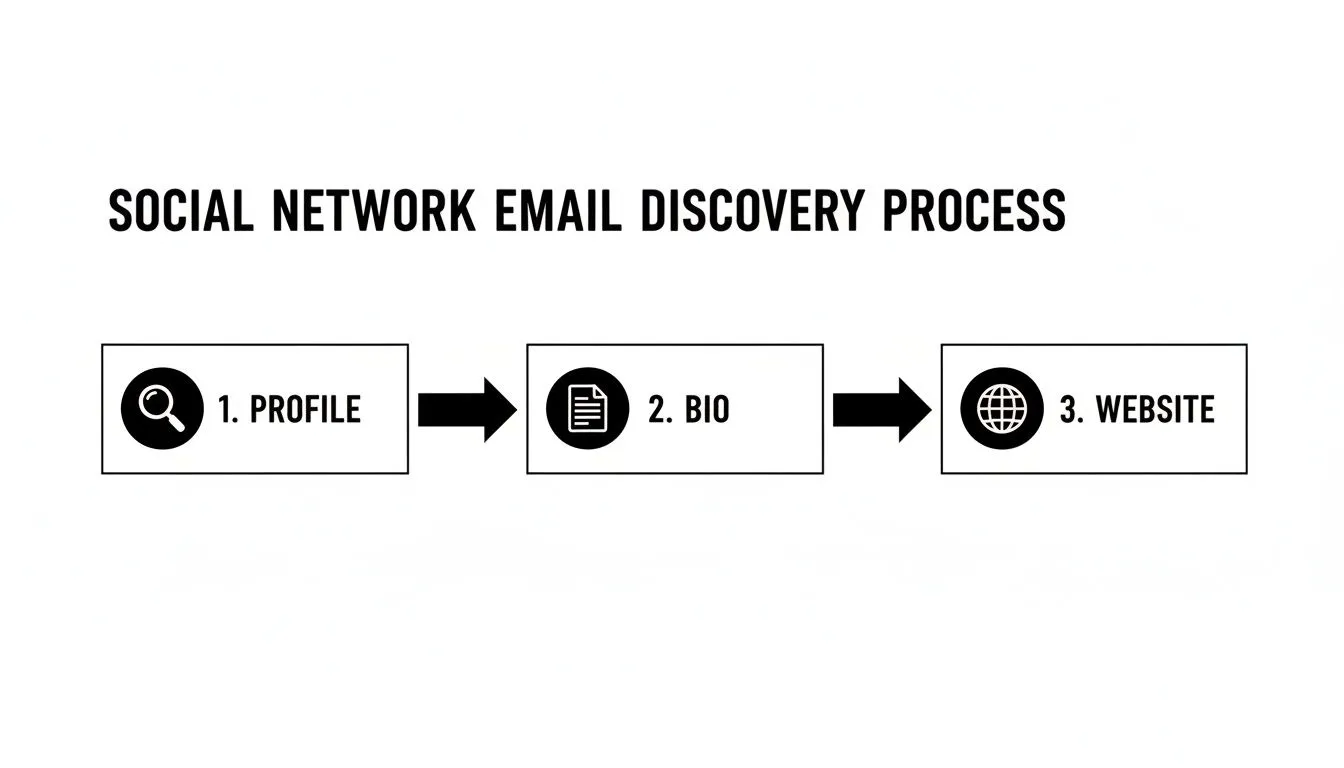
An automated system essentially follows this same logic—from profile to bio to website—but does it thousands of times faster, piecing together data points to find and confirm an email address.
When your verification tool runs, it returns a status for each email. Understanding these codes is key to maintaining a healthy sender reputation and an effective campaign.
Email Verification Status Codes Explained
| Status | Meaning | Action to Take |
|---|---|---|
| Valid | The email address exists and is safe to send to. | Add to your campaign. This is a green light. |
| Invalid | The email address does not exist. | Do not send. Remove this address from your list immediately. |
| Accept-all (Catch-all) | The server accepts all emails sent to the domain, so it's impossible to verify a specific address. | Risky. Send with caution, or place these in a separate, lower-priority campaign. |
| Unknown | The verification tool couldn't get a definitive response from the server. | Risky. Treat similarly to accept-all addresses. Best to avoid if you want to keep bounces low. |
| Spam Trap | This is a fake email address used by providers to identify spammers. | Do not send. Hitting a spam trap is a major red flag that can get you blacklisted. |
These results give you the power to clean your lists before you hit send, protecting your domain for the long haul.
The Full Workflow in Action
Now, picture this whole system running on its own. You define your target audience once. The engine then identifies the right companies, finds the right people, discovers their contact information, and verifies every single email.
The result isn't just a jumbled spreadsheet. It's a clean, actionable pipeline of prospects flowing directly into your outreach sequences. This is the power of a fully integrated, hands-off workflow—a system that turns the most repetitive part of sales into an autonomous process that consistently fuels your growth.
A Few Lingering Questions You Probably Have
Even after you've mastered the tactics, a few tricky questions always pop up. Finding emails isn't just a technical process; it involves navigating legal gray areas, knowing when to give up on a lead, and striking the right balance between tech and touch. Let's tackle some of the most common hurdles I see people face.
Is This All Legal and Ethical?
This is the big one, and rightly so. The short answer is: yes, it’s generally legal, but you have to do it right. In the U.S., the CAN-SPAM Act gives you the green light for cold outreach as long as you're transparent and provide an easy way to opt out. And you absolutely must honor those opt-outs immediately.
Things get stricter with laws like Europe's GDPR and Canada's CASL, which prioritize user consent. The key is to always be professional, relevant, and never deceptive.
Honestly, the ethical question comes down to your intent. Are you blasting a generic pitch to a list you scraped off the web? Or are you reaching out to a specific person with a thoughtful solution to a problem you know they have? Good outreach never feels like spam—it feels like a helpful introduction.
What if I Still Can't Find Their Email?
You’ve tried every pattern, used every search operator, and your best tools are coming up empty. It happens. Don't waste hours chasing a ghost, especially with executives who are intentionally hard to reach. When you hit a wall, it’s time to change your angle.
- Switch up the channel. An email address isn't the only way in. A well-written LinkedIn connection request (that doesn't immediately pitch) can be a great way to start a real conversation.
- Go sideways or down a level. Can't get the VP of Marketing? Try a Marketing Director or Manager. A warm referral from someone on their own team is often way more effective than a cold email to the top anyway.
- Play the long game. If the prospect is active on LinkedIn or X (formerly Twitter), engage with their posts. A smart comment or a thoughtful question puts you on their radar long before you ever slide into their DMs or inbox.
Remember, the goal isn't just to find one email. It's to open a door into the company. There's always more than one way to do that.
How Accurate Are Email Finder Tools, Really?
The quality of email finder tools is all over the map, but the top-tier platforms are impressively accurate. Many claim 95% or higher accuracy for their verified contacts. They get there by checking tons of different public sources and running real-time validation checks.
But no tool is foolproof. You'll inevitably see "accept-all" or "unknown" statuses. An "accept-all" server is set up to receive mail at any address for that domain, so a tool can't actually confirm if the inbox is real without sending something.
My advice? Always stick with tools that give you a confidence score for each email. And more importantly, always, always run your list through a separate verification service before hitting send. Never trust a list blindly.
How Do I Balance Automation with a Personal Touch?
This is the million-dollar question in modern sales. Automation gives you scale, but personalization is what gets you replies. The secret is to automate the tedious parts, not the human parts.
Here's how that looks in practice:
- Automate the grunt work. Let tools build your initial lists, find the contact info, and dig up personalization triggers—like recent company news or a prospect's latest article.
- Personalize the first touch. The first few sentences of your email are everything. This is where you manually reference the specific insight your research uncovered. For example: "Saw on LinkedIn that your team is hiring for a new data analyst, which made me think about..."
- Automate the follow-ups. After you've sent that initial, personalized email, it's perfectly fine to use automation for the follow-up sequence. These can be simple, polite "bumps" that bring your original message back to their attention.
This hybrid approach gives you the best of both worlds: the efficiency of a machine and the authentic touch that actually starts a conversation.
Ready to stop guessing and start building a predictable pipeline? The Starnus AI employee can autonomously run your entire outbound engine. It finds leads, enriches them with verified emails, crafts personalized messages, and manages your outreach campaigns, freeing you to focus on closing deals. Get started with your autonomous sales engine today.
Ready to automate your outbound sales? Try Starnus and let AI handle prospecting, outreach, and follow-ups while you focus on closing deals.